
A free mockup generator may let you build a scene, then ask for payment when you download it. Others offer clean exports but limit the image size, file format or permitted use.
Before preparing a full presentation, make one sample export. Can you download it for free, is the image detailed enough, and does the license cover your project?
Free Mockup Generators Compared
The dimensions below come from the supplied downloads. They describe individual samples, not the maximum resolution of every template.
| Tool | Watermarks | Export quality | Free plan limits |
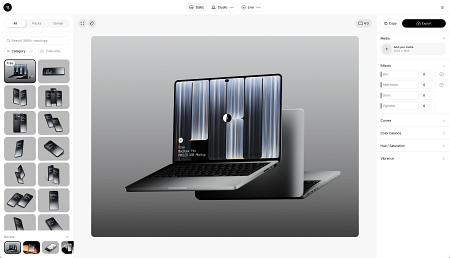
| LS Graphics | None | Free Mockups section includes 6K PSD, Sketch and Figma files; browser exports vary by scene | Sign-in required; unlimited downloads of available free resources |
| MockupBro | None | Sample: 2048 × 1536 px PNG | No sign-in required; unlimited free downloads |
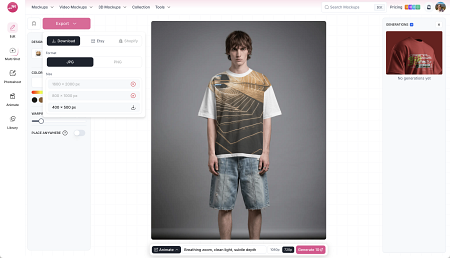
| Mockey | None | Sample: 400 × 500 px JPG | Sign-in required; unlimited free downloads; larger sizes and PNG restricted |
| MockUPhone | None | Samples: 1419 × 2796, 2796 × 1419 and 1857 × 3096 px PNG | Sign-in required; unlimited free downloads |
| Shots | None | Sample: 1920 × 1440 px PNG | No sign-in required; unlimited free downloads; some export options require Pro |
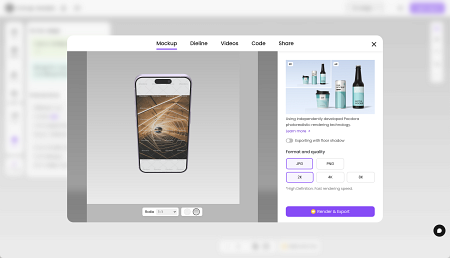
| Pacdora | Clean export requires payment | Paid rendering: JPG/PNG at 2K, 4K or 8K, depending on plan | Free editing and preview; payment required to download |
Pacdora is included to show where free editing ends and paid exporting begins.
Watermarks: Check Whether You Can Download First
Follow the process from upload to download before spending time on a layout. A watermark-free preview does not establish that a free file is available.
The supplied examples from LS Graphics, MockupBro, Mockey, MockUPhone and Shots have no watermarks. Pacdora requires payment for the final download, so its preview should be assessed separately from those free exports.
Once download access is clear, compare resolution and format. A clean file can still be too small for your presentation.
Export Quality: Look Beyond the Preview
Choose an output size for the destination. A concept thumbnail needs less detail than a full-width portfolio image or a client slide viewed on a large screen.
Inspect the download at 100%. Look at small interface labels, thin logo strokes and the edges of the placed artwork. Also consider how much of the canvas the product occupies: a large canvas with a small phone may leave little room to show the interface clearly.
The supplied Mockey sample is a 400 × 500 px JPG. It may work for a small concept preview, but enlarging it will make its limited detail visible.
The Shots sample measures 1920 × 1440 px, and MockupBro’s is 2048 × 1536 px. Both are PNGs and provide more room for presentation layouts than the Mockey example.
MockUPhone’s archive contains three PNG views with different dimensions and orientations. Choose the view that fits the layout.
LS Graphics offers 6K editable files in its Free Mockups section. These source files use a different workflow from flattened browser exports; check the selected scene’s browser output separately.
Formats: Transparency and Editable Layers
PNG supports transparency, though a PNG download may still have a fixed background. JPG suits photographic scenes, but compression can soften text and leave artifacts around sharp edges.
The supplied Shots, MockupBro and MockUPhone files are PNGs. Mockey’s sample is JPG, with PNG and larger sizes locked in the reviewed export panel.
For revisions after download, consider an editable source. The LS Graphics mockup collection includes 6K resources in PSD, Sketch and Figma formats. Check which versions and editable elements the selected asset provides.
Pacdora also lists AI/PDF options for artwork and dielines. Those files serve packaging production tasks and should be distinguished from a layered presentation mockup.
Free Plan Limits: Try a Second Export
Replace the artwork and download again to check that the free workflow supports revisions.
Shots and MockupBro allow free downloads without sign-in. LS Graphics, Mockey and MockUPhone require sign-in. The supplied comparison lists unlimited downloads of available free resources across these five tools.
Unlimited downloads do not mean unrestricted features. Mockey limits free export size and format in the supplied example. Shots reserves some export options for Pro, while LS Graphics offers selected free resources alongside its paid library.
Pacdora allows free editing and previews, with payment required at download. Budget for it as a paid option.
Customization: Use Your Own Design
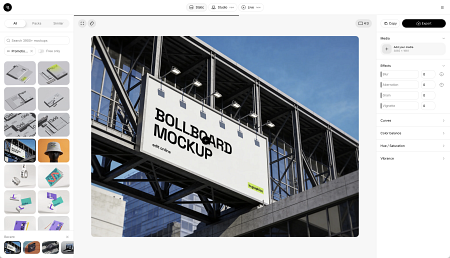
Test the controls the brief needs: cropping, artwork position, product color and background. Small text and recognizable logos make distortion or awkward placement easier to spot.
MockUPhone focuses on device framing. Shots provides layouts, backgrounds and effects. MockupBro covers devices, packaging and print, with background-color selection available in its workflow.
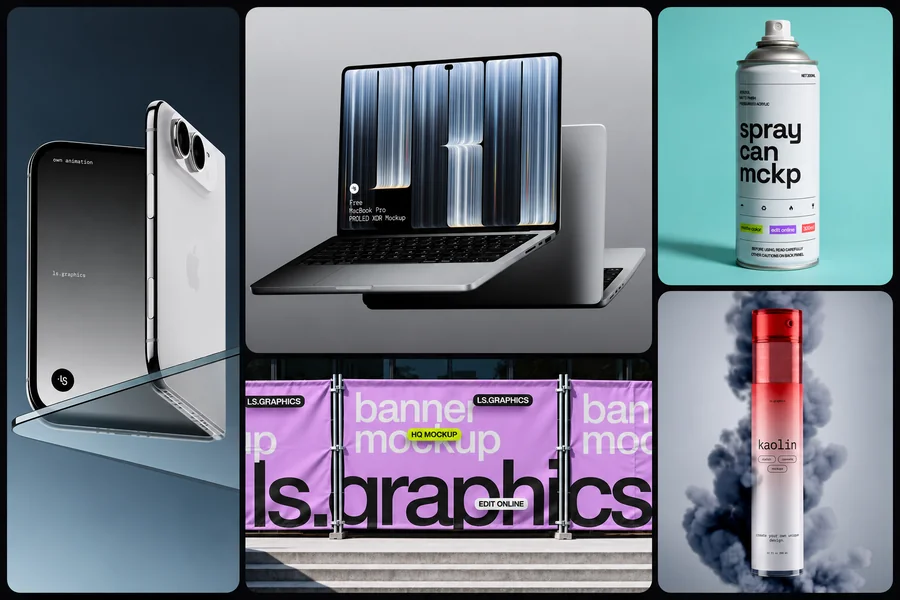
The mockup generator by ls.graphics includes prepared photorealistic branding and device scenes, as well as animated mockups. Mockey supports artwork positioning and product-color changes, while Pacdora focuses on packaging presentations.
Check the individual scene’s controls. For a series of client slides, consistent colors and framing may matter more than a large template library.
Licenses: Check the Intended Use
Before publishing client work, check commercial permission, attribution and restrictions on resale or source-file sharing.
LS Graphics permits personal and commercial projects with its free resources, while prohibiting resale, redistribution and source-file sharing. Mockey’s published plan documentation describes Free as personal use only, with commercial use included in paid plans.
Pacdora lists commercial permission under Business. For MockupBro, Shots and MockUPhone, confirm the applicable license before commercial publication. Paying for an export does not automatically grant unrestricted rights.
FAQ
Which free mockup generators let me export images without watermarks?
The supplied free downloads from LS Graphics, MockupBro, Mockey, MockUPhone and Shots have no watermarks. Pacdora requires payment to download.
How can I create a realistic mockup without Photoshop?
Upload your artwork to a browser-based generator and adjust its placement. Choose suitable lighting and perspective, then inspect an export at its intended display size.
Should I use an online mockup generator or a downloadable PSD template?
A browser generator works well for quick variations in prepared scenes. A layered PSD supports detailed revisions in a compatible editor.
When is it worth buying premium mockups instead of using free ones?
Pay when the project needs larger exports, commercial rights, matching scenes or additional editing controls. Check that the purchase covers those requirements.
Conclusion
Start with a real download. Check payment requirements, dimensions, formats and usage rights before building the full presentation. Then replace the artwork and export again: a useful free mockup generator should support the revisions your project needs.
Choose around the finished presentation. A simple browser tool may cover quick concepts, while editable files give you more control over detailed client work. Prioritize scenes that show your design clearly and work together across slides. The best fit is a tool whose output you can confidently use, revise and publish within the project’s budget.