
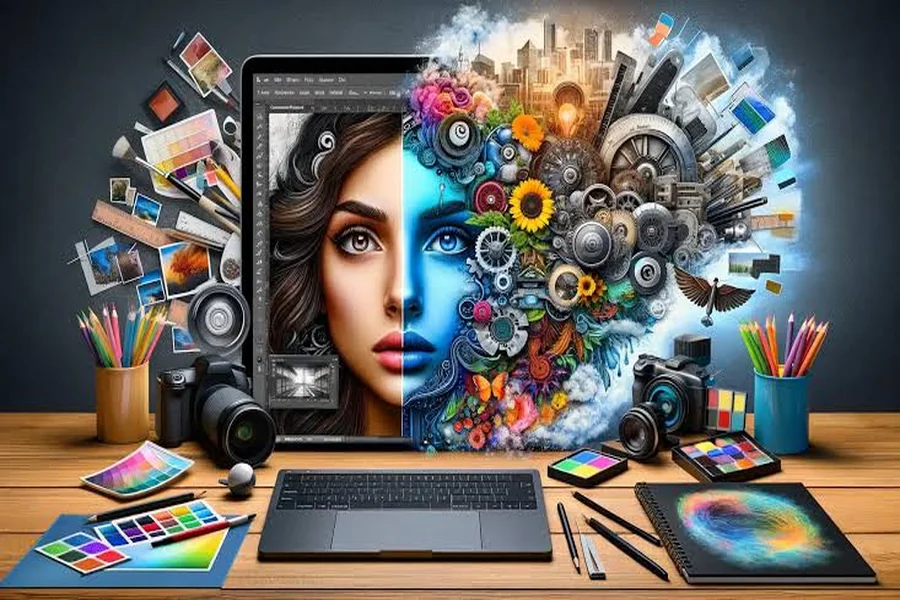
Visual content has become an essential part of online communication. From social media posts and website banners to blog illustrations and digital presentations, images help people understand information quickly and make content more memorable. However, creating attractive visuals does not always require advanced design skills or expensive software. With a few practical techniques, anyone can improve their images and make them look more professional.
Whether you are a content creator, blogger, small business owner, or someone who enjoys experimenting with digital art, understanding the basics of image editing can help you achieve better results.
Start with a Clear Creative Goal
Before editing an image, consider where it will be used and what you want it to communicate. A promotional banner, for example, may need bold colors and readable text, while a photograph for a blog post might benefit from subtle adjustments that preserve its natural appearance.
Defining your goal helps you choose the right dimensions, colors, and editing techniques. It also prevents you from adding unnecessary effects that distract from the main message.
Think about your audience as well. A design intended for a professional website may require a clean and minimal appearance, while social media content can allow more experimentation with color, typography, and visual effects.
Improve Image Quality Before Adding Effects
One of the most important steps in creating effective visuals is starting with an image that has sufficient quality. Blurry photographs, visible compression artifacts, and poorly cropped graphics can make even a creative design look unfinished.
Whenever possible, work with the original image rather than a screenshot or a copy that has already been compressed multiple times. Original files usually preserve more detail and provide greater flexibility during editing.
If an image appears too small for its intended use, consider whether it can be resized or enhanced before adding other elements. Some image enhancement tools can improve sharpness or upscale smaller pictures, although results depend on the quality of the original file.
Avoid enlarging images excessively, since doing so can make edges look pixelated or introduce artificial details. It is generally better to choose an image with suitable dimensions from the beginning.
Choose Colors That Work Together
Color can influence how people perceive a design. Bright, contrasting colors may attract attention, while softer shades can create a calm and elegant atmosphere. The best palette depends on the message and the overall identity of the project.
A useful approach is to select one primary color, one or two supporting colors, and a neutral shade for balance. This keeps the design consistent without making it visually overwhelming.
Contrast is particularly important when adding text to images. Dark text on a dark background can be difficult to read, even when the typography looks attractive. If necessary, place text over a simple background or add a subtle overlay to improve visibility.
You can also use color adjustments to bring different images into a consistent style. This is especially useful when creating a series of social media graphics or building a recognizable visual identity for a brand.
Keep Your Images Optimized for Digital Platforms
Image dimensions and file sizes matter just as much as appearance. Large files can slow down websites, take longer to upload, and consume additional storage space. On the other hand, excessive compression may reduce sharpness and introduce unwanted visual artifacts.
Choosing the right image format can help solve this problem. JPEG is commonly used for photographs, PNG works well for graphics that require transparency, and WebP can provide efficient compression for many types of web content.
For PNG graphics, an online PNG compressor can help reduce file sizes before you upload or share your designs. This is particularly useful for website illustrations, screenshots, logos, and other visual assets that need to remain clear.
After compression, inspect the image carefully to ensure that important details, edges, and colors still look appropriate. Keeping an unedited original also allows you to return to the source file if you need a higher-quality version later.
Use Typography to Strengthen Your Message
Text can transform a simple image into an informative and engaging design. However, adding too many fonts or styles can make a visual feel cluttered.
Try limiting your design to two complementary typefaces. One can be used for headings, while the other provides supporting information. Make sure the text remains readable at the size people will actually see it.
Hierarchy is another important principle. The most important message should be immediately noticeable, while secondary details should support it rather than compete for attention.
For social media graphics, short headlines often work better than long paragraphs. For educational content or infographics, organize information into clearly separated sections so viewers can understand the message without feeling overwhelmed.
Avoid Overediting Your Designs
It can be tempting to apply multiple filters, shadows, gradients, and decorative effects to make an image stand out. However, more editing does not always produce a better result.
Every element should serve a purpose. If an effect makes the main subject harder to see or reduces the readability of text, consider removing it. Simple compositions often communicate more effectively because they give the viewer a clear focal point.
Consistency also matters. If you are creating several graphics for the same project, use similar colors, spacing, and typography. A consistent style makes the collection feel intentional and recognizable.
Before finalizing a design, take a short break and review it with fresh eyes. You may notice alignment issues, unnecessary details, or areas where the composition could be simplified.
Final Thoughts
Creating impressive digital visuals is about combining creativity with practical decisions. Starting with quality images, choosing balanced colors, using readable typography, and optimizing files for their intended platforms can make a significant difference.
You do not need to master every editing technique at once. Experiment with small improvements, compare different versions, and pay attention to how your audience responds. Over time, these habits can help you develop a more consistent visual style and create images that look polished, communicate clearly, and perform well across digital platforms.